Allow RFTS through a Windows 7 firewall
Learn how to allow the Relais File Transfer Service (RFTS) program to communicate through a Windows 7 firewall.
- From the windows control panel, select the windows firewall applet.
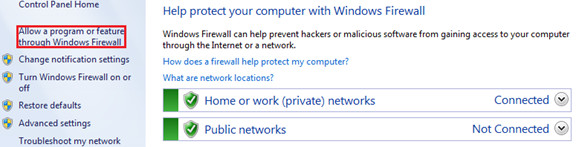
- Select Allow a program or feature through Windows firewall.
- Click Allow another program....
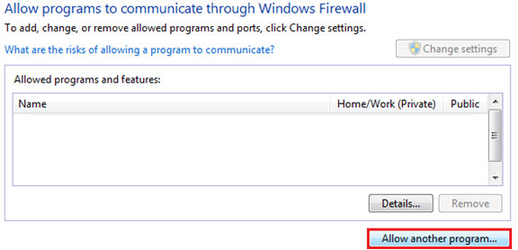
- Click Add.
- For:
- Windows 7 32-bit:
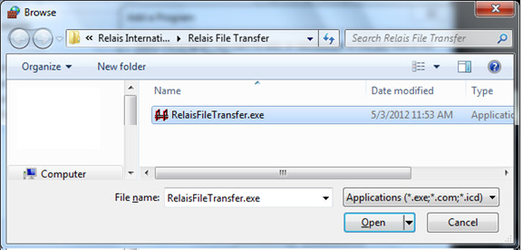
- Browse to C:\Program Files\Relais International\Relais File Transfer Service\
- Select RelaisFileTransfer.exe.
- Click Open.
- Windows 7 64-bit:
- Browse to C:\Program Files (x86)\Relais International\Relais File Transfer Service\
- Select RelaisFileTransfer.exe.
- Click Open.
- Windows 7 32-bit:
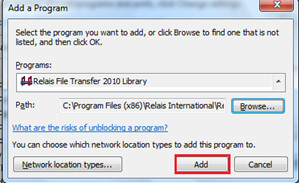
- Confirm that the Relais File Transfer Library is selected and click Add.